
Delphi Cloud Backup
A service for creating backups and restoring virtual machines and physical servers. Offered in partnership with Cyberprotect.
Comprehensive data recovery
Delphi Cloud Backup allows you to save application data and ensure its integrity by using the Cloud Backup agent in the guest OS.
File-by-file recovery
Recover individual files from backups to the relevant folder of the current VM or to a Delphi BareMetal server.
Centralized management
Configure VM backup policies and manage them for the entire cloud all at once. Assign these policies when configuring virtual machines.
A managed service
All backup operations are performed in the cloud; you just set and apply policies to the relevant virtual machines.
Any type of disks
Unlike a snapshot, the service creates a copy of all disks: network SSDs and HDDs, non-replicated disks, and local disks on dedicated hosts.
Recovery to a new VM
If it isn’t possible to recover the previous state of the current VM, you can restore its backup to a new VM.
Getting started
Set up a backup policy: select the frequency and type of backup — incremental or full.
Get started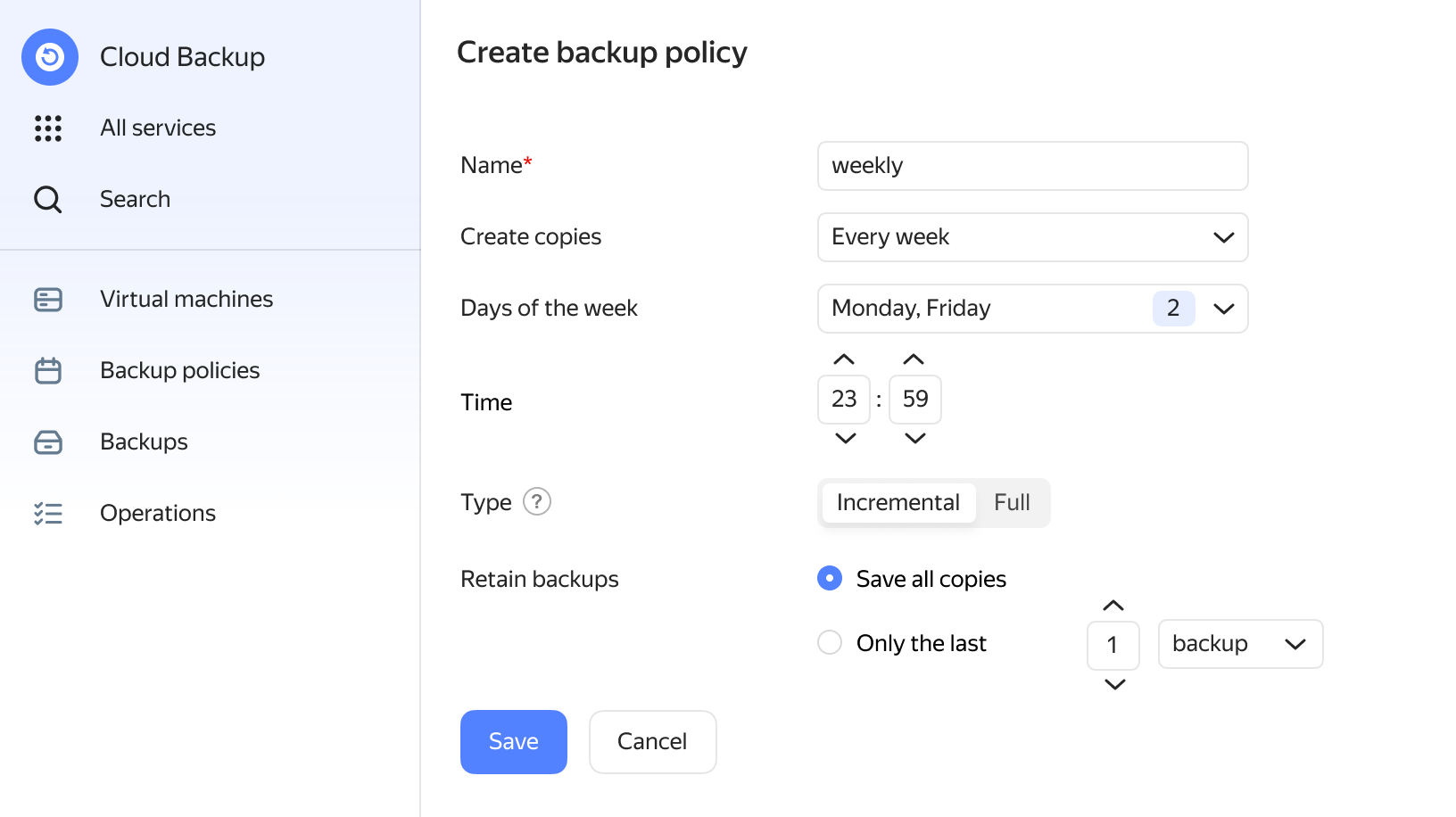
FAQ
Delphi Cloud Backup supports application-consistent backup, which preserves all active disk operations.
A VM’s recovery speed depends on the volume of disk space in use and the disk type selected. VMs with smaller volumes of information recover from a copy within a few minutes. Recovering servers loaded with large amounts of information may take longer.
Linux and Windows-based operating systems. You can find the full list of supported operating systems in the corresponding section.
Yes. To do so, you can link a service account with the backup.editor role and run the agent installation script.
Backups are uploaded to Object Storage, which is compliant with the requirements of international standards ISO, GDPR, and PCI DSS.